Abstract
Robots working in spaces shared by people need more than geometric mapping: they must recognize people, understand social context, and decide whether to proceed or negotiate passage. We introduce a Perception–Awareness–Decision (PAD) framework that combines SLAM with Vision–Language Models (VLMs), speech recognition, and Large Language Models (LLMs) through an explicit situational-awareness representation. In a corridor-blocking task, PAD improves task success, increases safety margins, and produces behavior participants judged as more socially appropriate than a geometric baseline.
(Text adapted from the paper abstract.) When you can publish the PDF (DOI/arXiv/preprint), I’ll wire the “Paper (PDF)” button.
At a glance
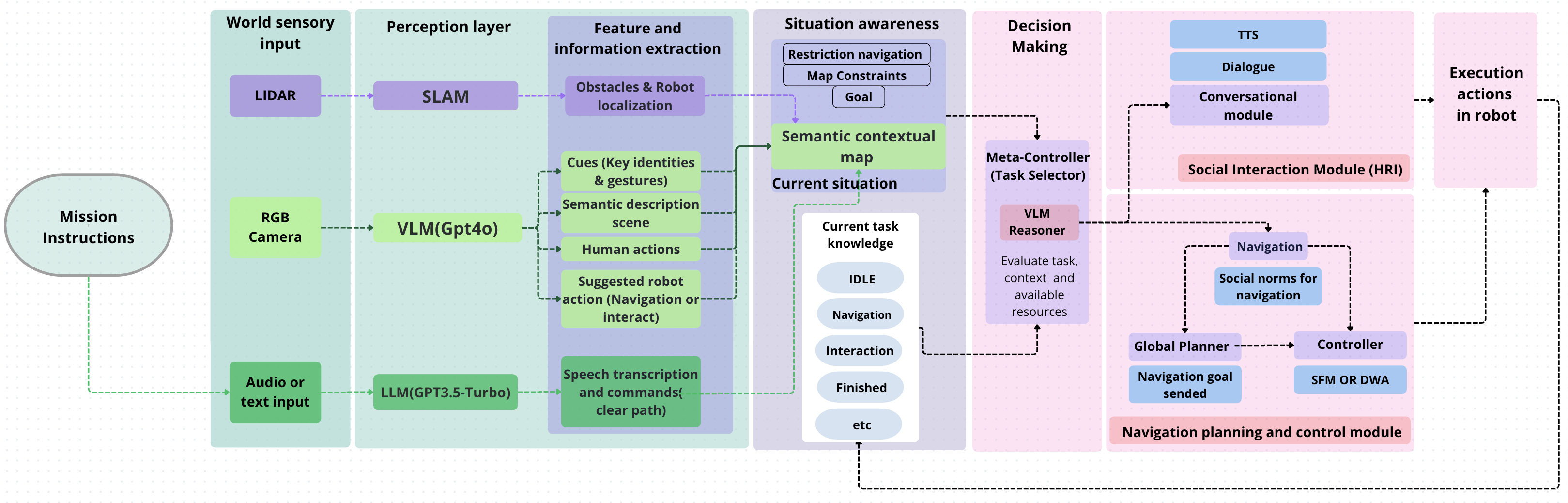
PAD separates (1) multimodal perception, (2) situation awareness, and (3) decision-making, enabling a robot to switch between safe replanning and context-grounded dialogue when navigation depends on human cooperation.
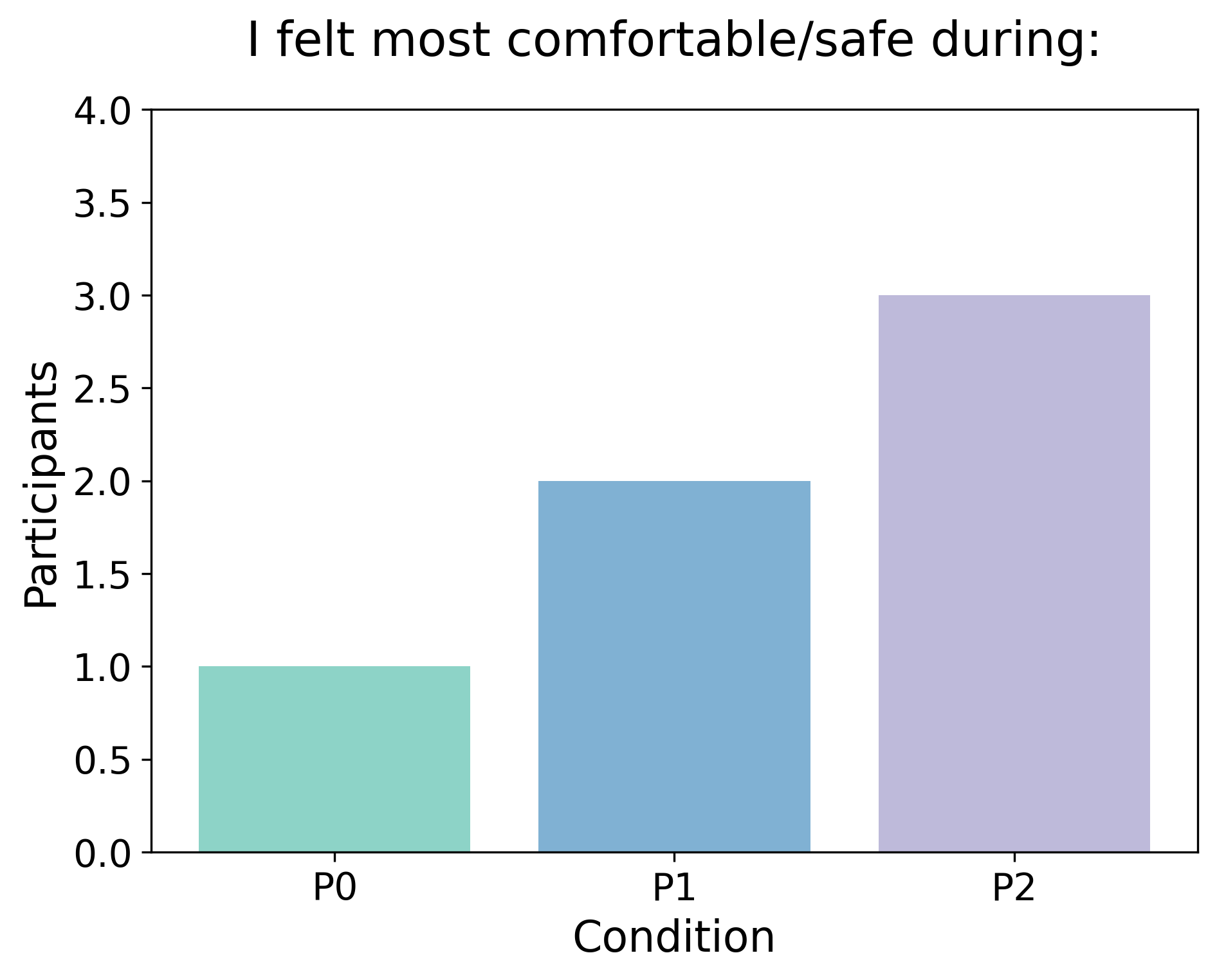
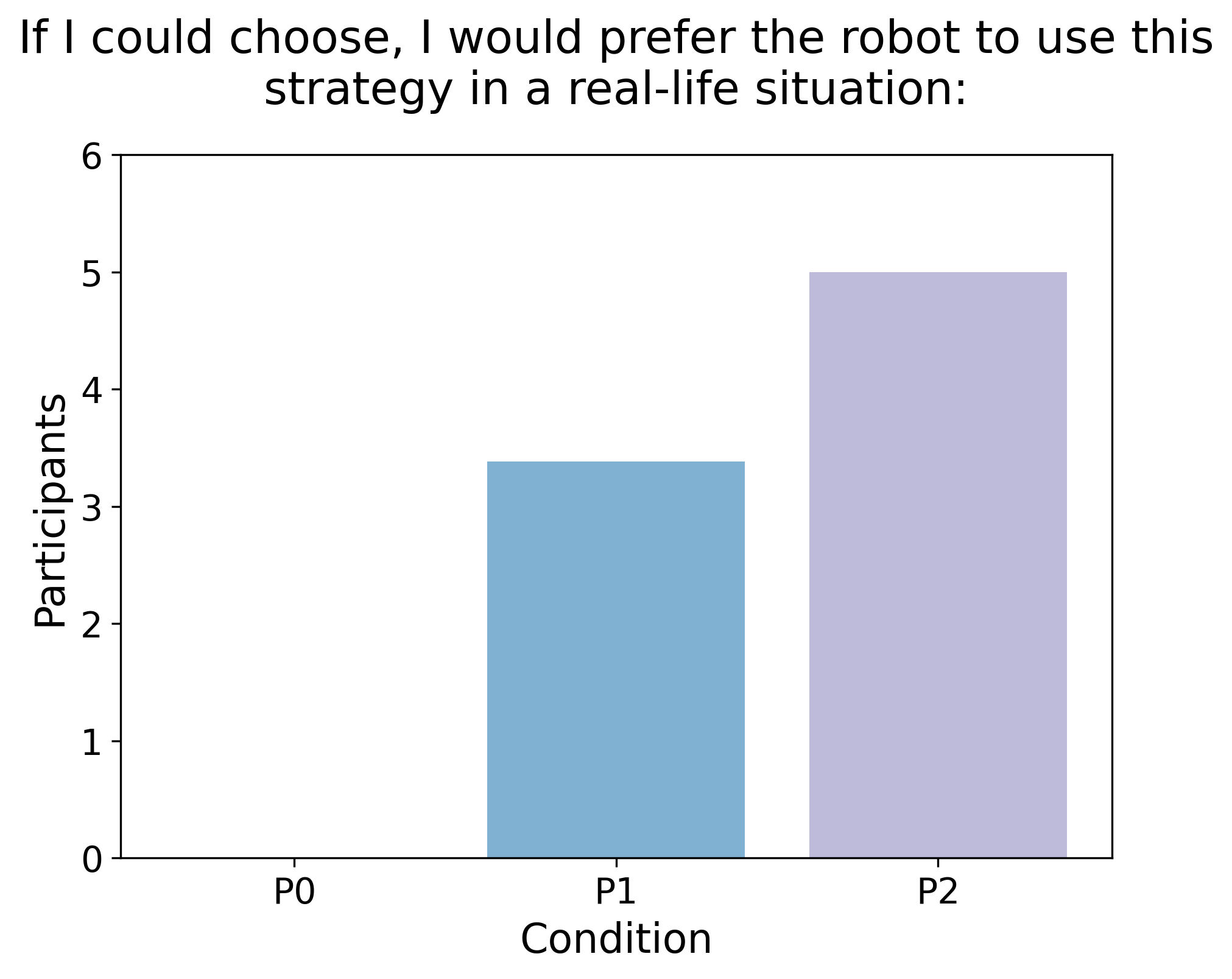
- P0: SLAM-only baseline (no semantics, no dialogue)
- P1: Context-aware conservative interaction
- P2: Context-aware assertive interaction
Framework
Experiment
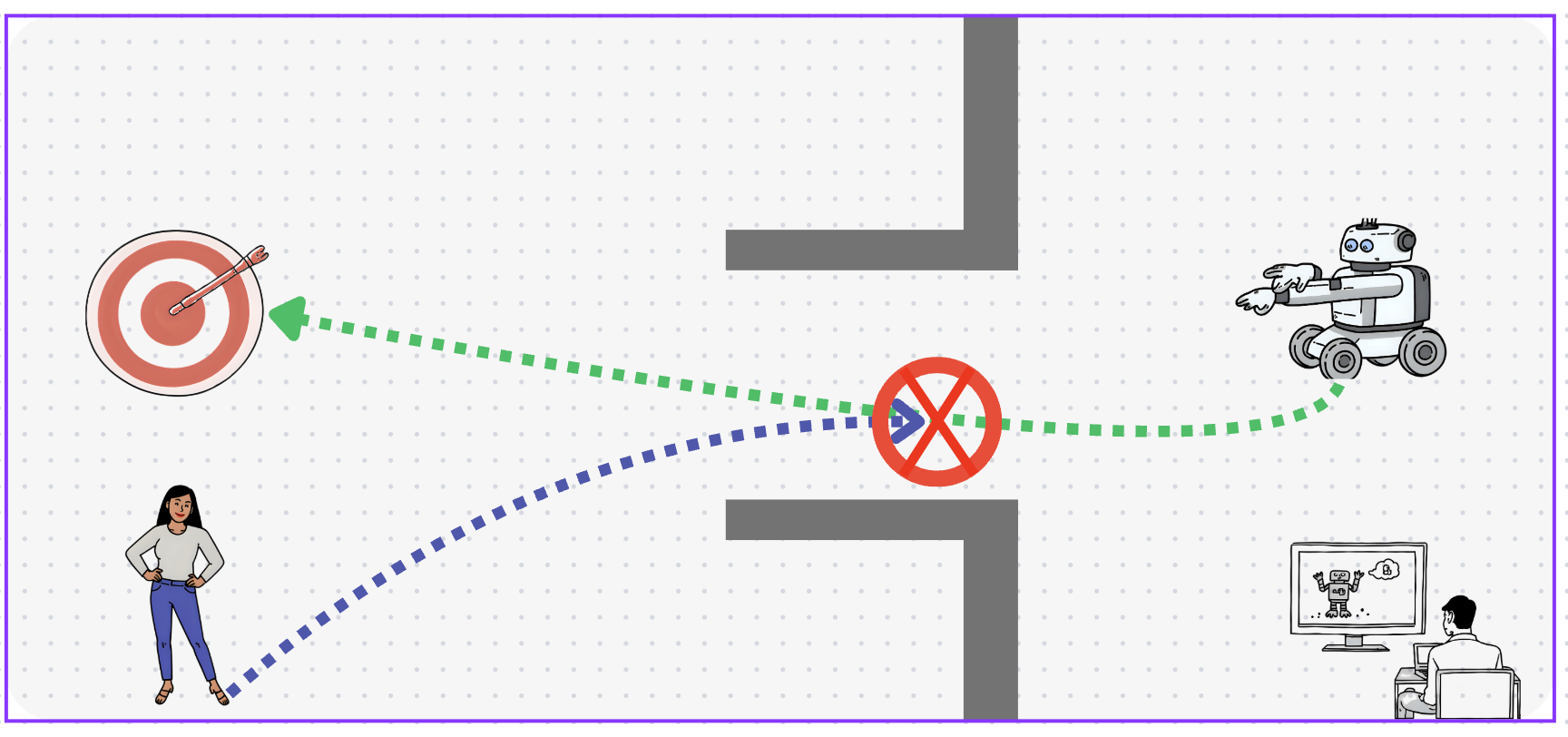
Each trial starts with the robot navigating toward a fixed goal. When the participant blocks the corridor, the robot either repeatedly replans (P0) or uses PAD to initiate context-grounded dialogue and then continues navigation (P1/P2).



Results
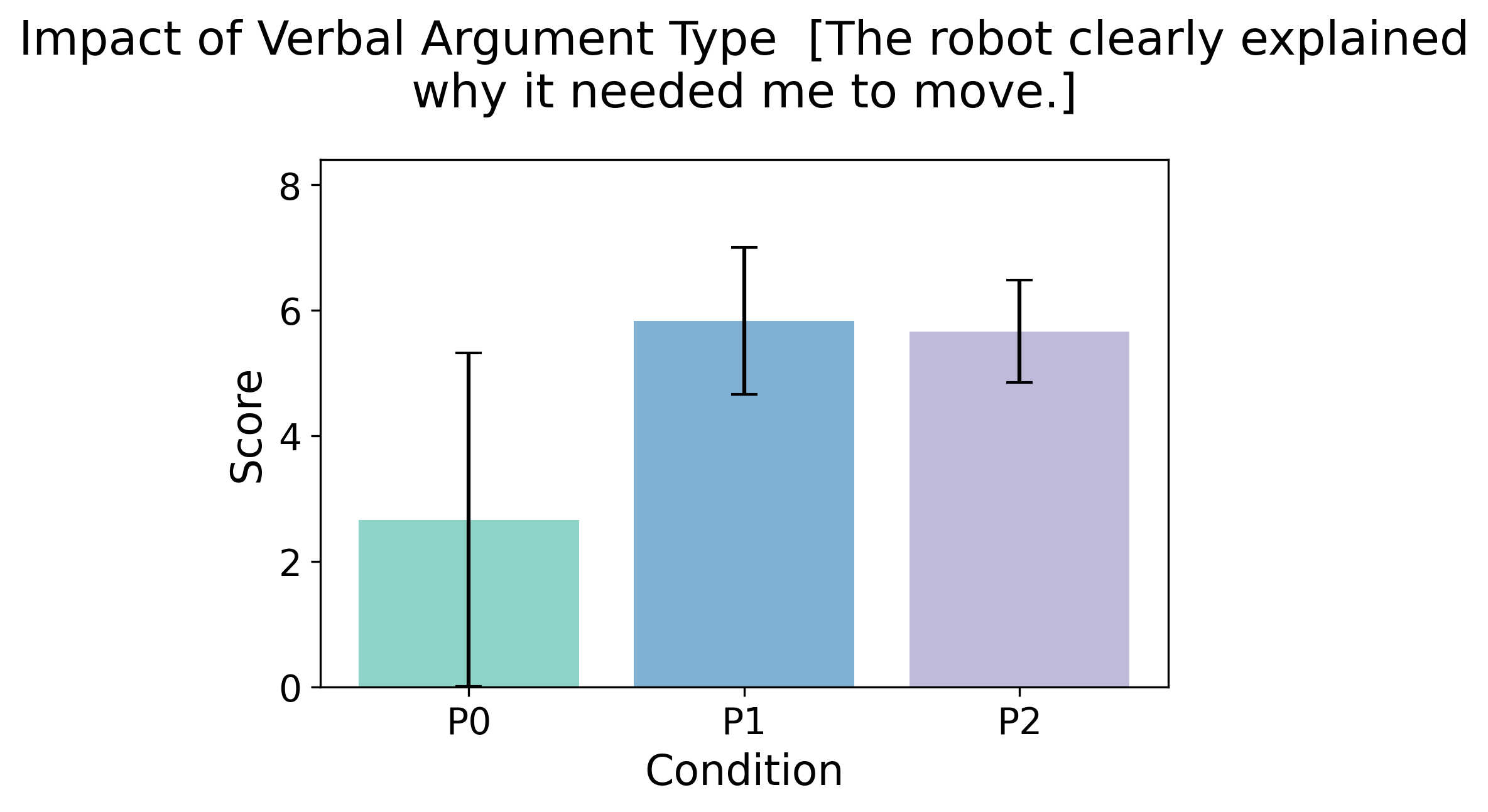
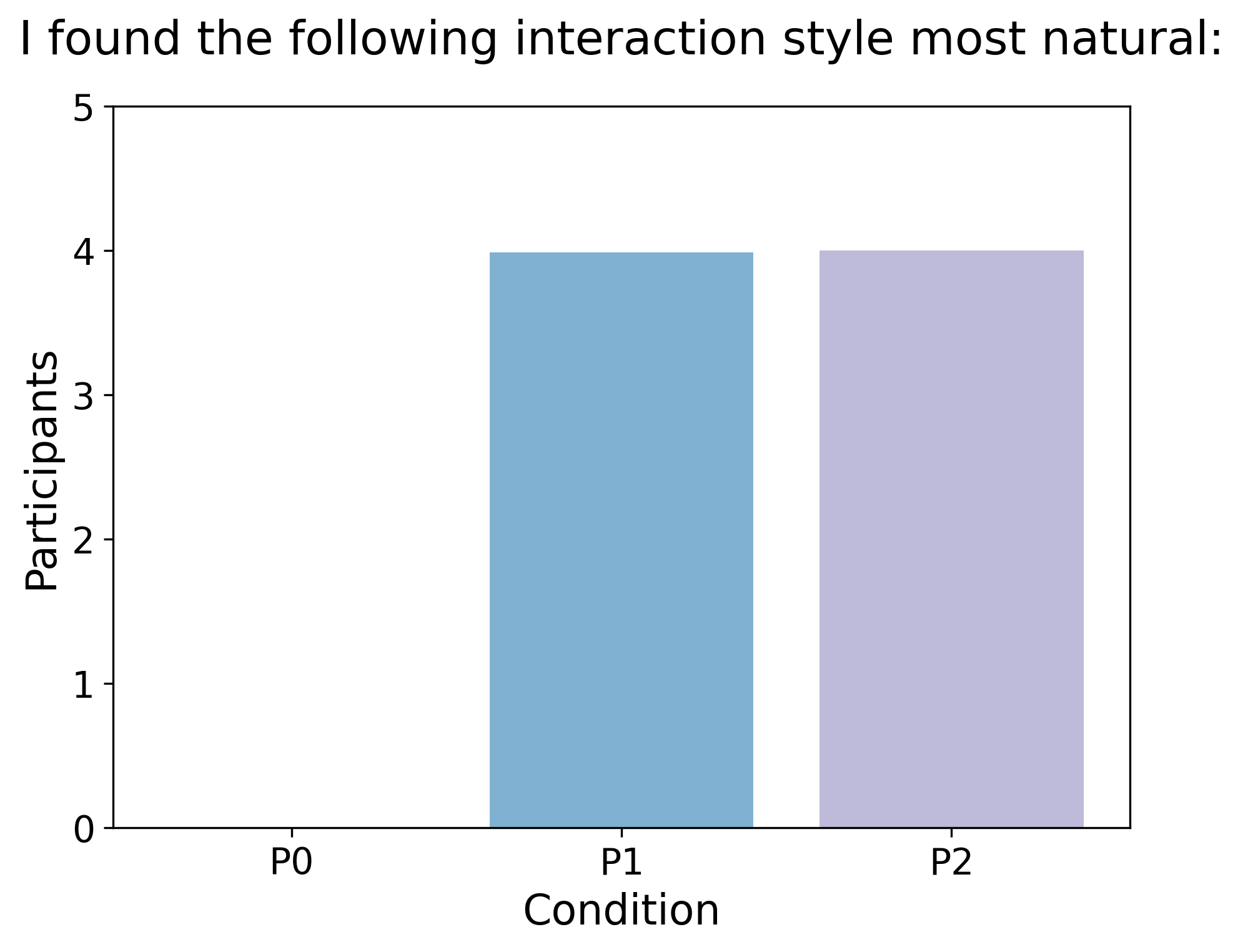
PAD-enabled behaviors achieved perfect success and improved safety margins compared to the SLAM-only baseline. P1 tended to finish faster with fewer turns (but longer utterances), while P2 used more turns with shorter messages.
| Metric | P0 (SLAM-only) | P1 (Conservative) | P2 (Assertive) |
|---|---|---|---|
| Success rate | 2/8 | 8/8 | 8/8 |
| Re-planning attempts (avg.) | 7.25 | 4.71 | 4.29 |
| Stopping distance (m, avg.) | 0.70 | 0.83 | 0.79 |
| Trial duration (s, avg.) | 105.94 | 99.95 | 162.21 |
| Dialogue turns (avg.) | — | 3.4 | 6.2 |
| Tokens per turn (avg.) | — | 35.45 | 21.36 |
Metrics reproduced from Table 1 in the paper.
Citation & links
DOI (will activate after publication): 10.1145/3776734.3794394
When you’re ready, I can add: (1) the final PDF link, (2) a BibTeX block, and (3) a “Contact” section (email button + links).